

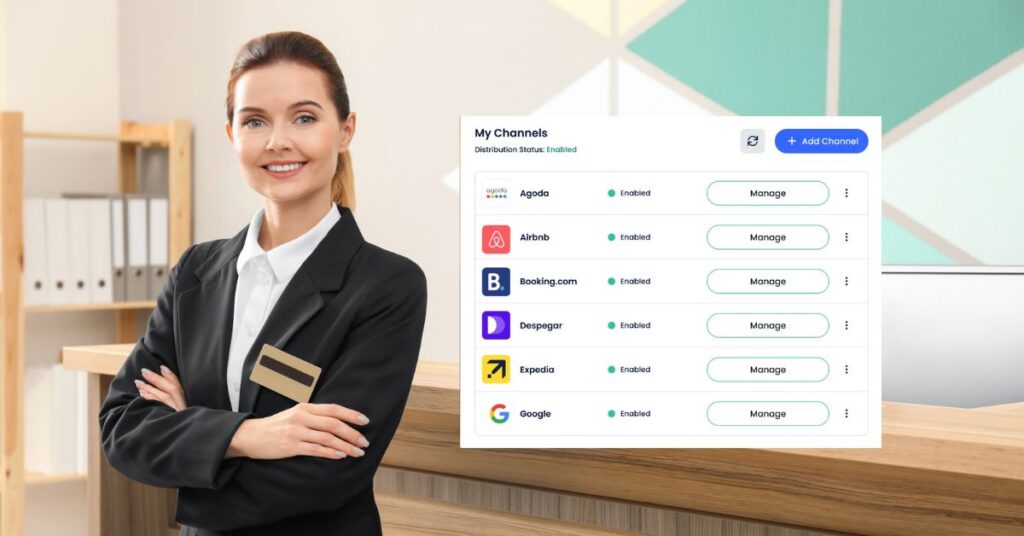
The channel manager uses this information when distributing availability to connected channels.
Step 3: Set Rates and Restrictions
Hotels can distribute rates and booking conditions through the channel manager. These may include:
- Standard room rates
- Seasonal pricing
- Weekend rates
- Minimum-stay restrictions
- Closed dates
- Occupancy-based pricing
- Promotional rates
- Cancellation policies
- Advance-purchase rates
Instead of changing every channel individually, the hotel can make the relevant change centrally.
Step 4: Publish Availability
The channel manager sends the hotel’s available inventory to connected booking channels. If the hotel has five rooms available, the connected channels receive the appropriate availability based on the hotel’s configuration.
This helps ensure that guests see current inventory when searching for rooms.
Step 5: A Guest Makes a Reservation
Suppose a guest books one Deluxe Double through an OTA. The booking information is sent through the channel connection to the channel manager.
The available inventory changes from:
6 rooms → 5 rooms
The channel manager then distributes the updated availability to the hotel’s other connected channels.
Step 6: The PMS Receives the Reservation
If the channel manager is integrated with the hotel’s property management system (PMS), the reservation can also be transferred into the PMS.
The reservation may include information such as:
- Guest name
- Arrival and departure dates
- Room type
- Number of guests
- Booking source
- Rate
- Special requests
- Cancellation conditions
This reduces the need for staff to manually enter reservations.
Step 7: Cancellations and Changes Are Synchronised
The process also works in the opposite direction. If a guest cancels a reservation, the room can become available again and the updated inventory can be distributed to connected channels.
The same principle applies to reservation modifications, depending on the channel connection and configuration.
What Information Does a Hotel Channel Manager Synchronise?
A channel manager can synchronise several types of hotel distribution data.
Room Availability
The system communicates how many rooms are available for sale on each connected channel.
Room Rates
Hotels can distribute current prices across their selected booking channels.
Restrictions
Hotels can manage restrictions such as:
- Minimum length of stay
- Maximum length of stay
- Closed to arrival
- Closed to departure
- Stop-sell dates
Reservations
Bookings from connected channels can flow back into the central hotel system.
Cancellations
When a reservation is cancelled, the resulting inventory change can be communicated through the connected systems.
The exact data supported depends on the channel manager, PMS, and individual OTA connection.
How Does a Channel Manager Prevent Overbookings?
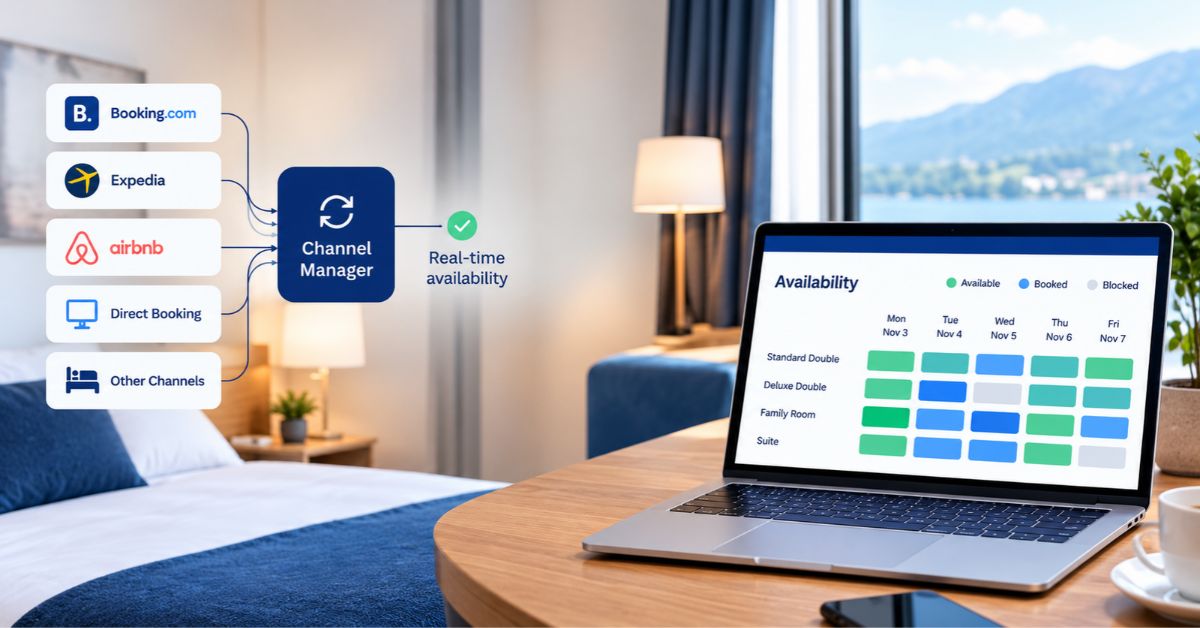
One of the main benefits of using a hotel channel manager is reducing the risk of double bookings by synchronising room availability across multiple booking channels.
Consider a hotel with one remaining room. A guest books that room through Expedia. The channel manager receives the reservation and updates the available inventory.
The remaining inventory becomes:
1 room → 0 rooms
The updated availability can then be sent to other connected channels.
Without this type of synchronisation, hotel staff may have to manually update several extranets. A delay between platforms can increase the risk of an availability mismatch. A channel manager therefore helps hotels keep distribution channels aligned with their central inventory.
However, no system should be treated as a guarantee against every possible overbooking. Incorrect room mapping, configuration problems, connection failures, or data issues can still cause discrepancies.
How Does a Channel Manager Connect With a PMS?
The PMS and channel manager typically exchange reservation and inventory information through an integration.
For example:
PMS → Channel Manager → OTAs
The PMS provides information such as room availability and rates. The channel manager distributes the relevant information to connected booking channels.
When a booking is received:
OTA → Channel Manager → PMS
The reservation can then appear in the PMS for hotel staff to manage. This connection creates a more automated flow between hotel operations and online distribution.
What Happens When a Hotel Receives a Booking?
Here is a simple example:
A hotel has 10 Standard Rooms available. A guest books one room through an OTA.
- Before the booking: Available inventory: 10 rooms
- Guest makes a reservation: The OTA sends the reservation through the channel connection.
- Channel manager processes the booking: The channel manager updates the hotel’s central availability. Available inventory: 9 rooms
- Other channels are updated: The new availability can be distributed to connected channels.
- PMS receives the reservation: If integrated, the booking is transferred to the hotel’s PMS.
- Hotel team sees the reservation: Staff can then manage the reservation through their normal PMS workflow.
This automated process eliminates many repetitive steps that would otherwise require manual intervention.
Do Small Hotels Need a Channel Manager?
Channel management is not limited to large hotel groups. A channel manager for small hotels can help boutique properties, guesthouses, vacation rentals, and independent accommodation businesses manage room availability and bookings across multiple online channels.
The more booking channels a property manages, the more difficult manual synchronisation can become. For a property selling rooms through only one channel, manual management may be relatively simple.
For a property using several OTAs alongside direct bookings, a channel manager can provide a more centralised approach, helping synchronise room availability and reservations while reducing manual work and the risk of overbookings.
What Should You Look for in a Hotel Channel Manager?
Not every hotel has the same distribution requirements. Before selecting a channel manager, consider the following.
- OTA Integrations: Check whether the system supports the booking channels your hotel actually uses.
- Real-Time or Frequent Synchronisation: Understand how quickly availability, rates, and reservations are exchanged between systems.
- PMS Integration: A channel manager should work effectively with your PMS to avoid creating another isolated system.
- Room and Rate Mapping: Good mapping is essential. Incorrect room or rate mapping can create availability and pricing problems.
- Booking Engine Integration: If direct bookings are important to your hotel, consider how the channel manager works with your direct booking engine.
- Automation: Look for features that reduce repetitive manual work, including centralised rate and inventory management.
- Reporting: Distribution data can help you understand booking sources, channel performance, and reservation trends.
- Scalability: Your channel management solution should be able to support your property if you add rooms, booking channels, properties, or new integrations.
- Data Protection and Security: Hotels handle sensitive guest and reservation information. Consider the provider’s security practices, data processing arrangements, and compliance requirements relevant to your market.
Key Takeaways
- Hotel channel managers centralise distribution by synchronising room availability, rates, and restrictions across connected OTAs and booking channels.
- Automation reduces manual work and availability errors, helping hotel teams manage multiple sales channels more efficiently.
- PMS and channel manager integration connects reservations with hotel operations, keeping booking information organised in one central workflow.
- Centralised distribution gives hotels better control over their online inventory, making it easier to manage direct bookings and third-party channels.
- HOS Booking combines PMS and channel management with features such as booking management, automated guest communication, digital check-in, payments, and other hotel technology integrations.
